
You are able to create a watchlist for viewing on multiple platforms, BullCharts, WebLink and the BullCharts app.
To create an online watchlist
The Online Portfolio links with BullCharts and the watchlists in the BullCharts App.
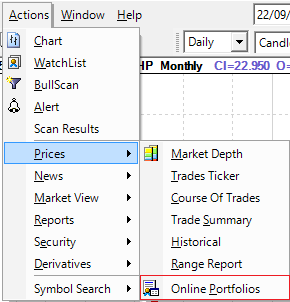
- in Actions/Prices select Online Portfolios.
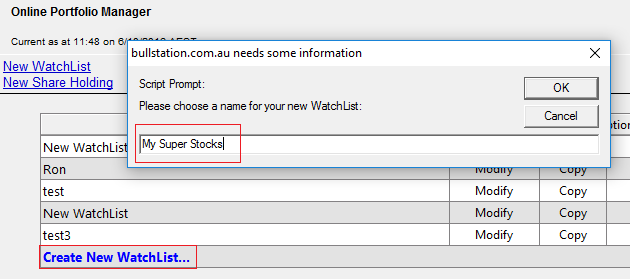
2. Select Create New WatchList and add name for the watchlist. Click OK.
3. Type in the symbols separated by a comma or space.
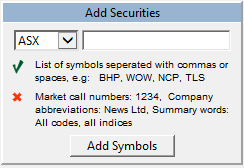
4. Click Add Symbols.
Your watchlist is now viewable in BullCharts, WebLink and the BullCharts app.
Copying symbols from your BullCharts Watchlist
- From you Security Manager, right-hand click on the watchlist you want to copy symbols from.
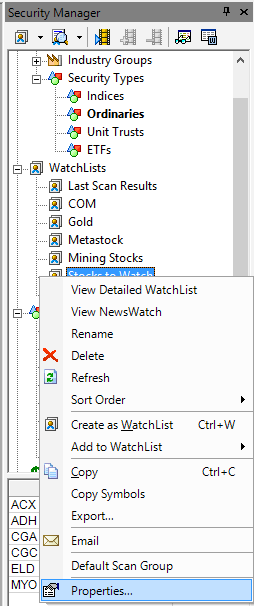
- Select Properties.
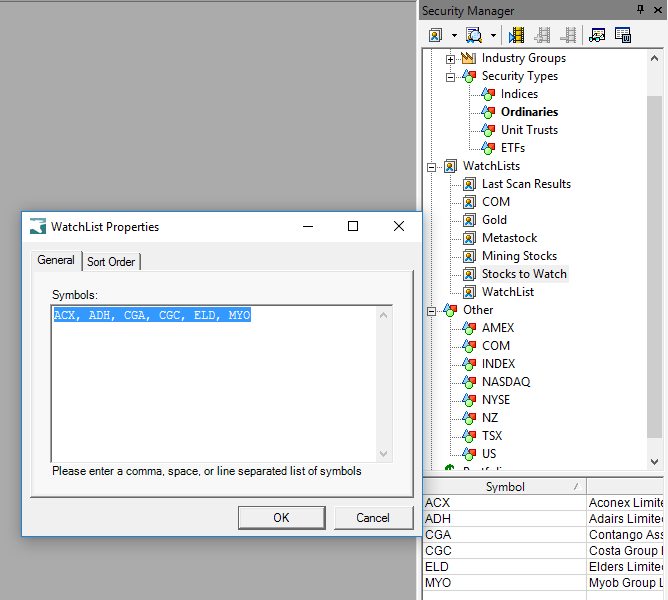
- Select and copy the list of symbols into the watchlist.
- Insert into the Add Symbols box.
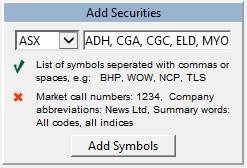
- Click Add Symbols.